
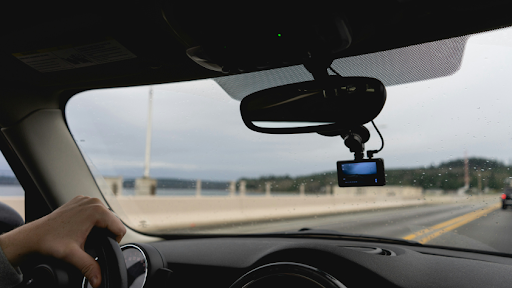
Selecting the best camera for recording in-car videos depends on what the footage is meant to accomplish. Some drivers prioritize a flexible action camera that can film road-trip POV footage, scenic pull-offs, and travel days, then keep recording once the drive ends. Others prefer a dedicated dash cam system built around incident evidence, parking coverage, and continuous recording that stays in the vehicle.
The best in-car video cameras in 2026 include both types. Below are six strong options ranked for real-world driving use, with key features, practical advantages, and limitations.
Editor’s note: These rankings are editorial recommendations based on current manufacturer specifications and intended uses, not controlled side-by-side laboratory testing. Features, firmware, subscriptions, accessories, and regional configurations can change.
Best for: Drivers who want one premium camera that can deliver crisp, stabilized in-car footage, remain dependable on night drives, and function as a flagship travel and action camera once the vehicle is parked.
The Insta360 Ace Pro 2 sits near the top of Insta360’s action-camera lineup as an 8K camera co-engineered with Leica. It is aimed at creators who need strong results across changing light, including night highways, wet-weather commutes, and dim parking structures where contrast and noise can quickly degrade typical action-camera footage.
It combines a 1/1.3-inch sensor with an F2.6 Leica SUMMARIT lens and dual-chip processing, using a dedicated imaging chip and a 5nm AI chip to support noise reduction and image processing.
For in-car recording, the Ace Pro 2’s biggest advantage is the number of angles it can reasonably cover. It can be mounted for road-facing POV footage, cabin narration, or quick exterior cutaways during stops. FlowState stabilization and 360-degree Horizon Lock help keep footage level and composed when pavement is rough or the vehicle leans through turns.
The 2.5-inch flip touchscreen also reduces framing difficulties in a tight cabin, making it easier to confirm a driver-facing composition or adjust a windshield angle without guesswork.
Although it is built as a travel and action camera rather than a permanent dash installation, it still offers practical durability. It is waterproof to 12 meters or 39 feet without a case and has a published operating range of -4°F to 113°F (-20°C to 45°C). A parked vehicle can exceed that maximum temperature, however, so it should not be left inside a hot car as though it were a purpose-built, high-temperature dash cam.
GoPro remains a familiar benchmark for action capture, and the HERO13 Black can translate well to in-car video when mounted for windshield POV footage, cabin angles, or exterior cutaways during travel stops. It is commonly selected by drivers and creators who already own GoPro accessories and want consistent handling across multiple activities.
For vehicle use, the platform’s advantage is its established ecosystem. GoPro and third-party mounting options make it straightforward to build a road-trip setup around a preferred perspective, whether that is a wide windshield view or a more immersive angle intended to emphasize speed and scenery.
The HERO13 Black records up to 5.3K60 and 4K120 and includes HyperSmooth 6.0 stabilization. Contrary to an earlier version of this comparison, it has both a 2.27-inch rear touchscreen and a 1.4-inch front color display. That front screen can help when setting up driver-facing footage.
Its limitations matter more when driving conditions become challenging. The HERO13 Black does not have a dedicated low-light video mode, which can affect night highways and poorly illuminated streets. Its automatic cloud highlight workflow also requires a compatible GoPro subscription and Wi-Fi connection.
DJI’s Osmo Action series is frequently chosen for stabilized wide-angle capture, and the Osmo Action 5 Pro can work well in a vehicle when mounted for road-facing coverage or cabin commentary. It appeals to drivers who like DJI’s handling, color approach, and accessory ecosystem across different types of filming.
For in-car footage, the camera’s strengths appear in its usability and framing flexibility. The front 1.46-inch and rear 2.5-inch OLED touchscreens support faster checks when switching between perspectives. Its wide capture approach fits scenic drives and road-trip storytelling where the environment matters as much as the lane ahead.
The camera records up to 4K120, while SuperNight supports resolutions up to 4K60. Its stabilization modes have resolution and frame-rate limits: HorizonSteady is available at 1080p or 2.7K at 60fps or below, while HorizonBalancing extends to 4K60.
As with most action cameras, the tradeoff is that it is not inherently a set-and-forget dash cam. Mount choice, power planning, temperature, and consistent positioning become part of daily use if it is used for routine commuting.
VIOFO is often shortlisted by drivers who want a dash-cam-first workflow and a practical approach to continuous in-car recording. Cameras in this category are generally selected for evidence capture, driving logs, and daily reliability rather than cinematic travel content that moves between multiple perspectives.
In two-channel form, the A329S can record 4K60 from the front camera and 2K30 from the rear when front HDR is turned off. Enabling HDR changes the front camera to 4K30. The three-channel configuration also uses 4K30 at the front while recording the additional 2K channels.
The A329S uses Sony STARVIS 2 sensors and supports loop recording, GPS logging, G-sensor event protection, multiple parking modes, Wi-Fi 6, and external storage. Parking functions normally require the appropriate hardwire kit and installation.
The main compromise is flexibility outside the vehicle. A dash cam is rarely the first choice for roadside travel clips, handheld filming, or multi-scene trip storytelling. Installation and power routing can also feel like a larger commitment than mounting and removing an action camera.
Vantrue dash cams are commonly positioned for drivers who want a dedicated, always-ready solution rather than a multipurpose action camera. This type of model is often chosen for routine commuting and incident capture, where consistent operation and a vehicle-first workflow matter more than filming travel scenes outside the car.
Buyers should confirm the exact S1 Pro Max configuration before ordering. Depending on the version and market, Vantrue lists both 4K front and 4K rear and 4K front and 2.5K rear configurations. The associated sensor package can also vary with the selected version.
Available features include Sony STARVIS 2 imaging, PlatePix processing, GPS, 5GHz Wi-Fi, voice controls, parking modes, and buffered event recording. Some versions also advertise driver-assistance alerts. Those alerts are supplemental and should not be treated as replacements for the vehicle’s factory-installed safety systems or the driver’s attention.
The drawback is that this category does not try to replace a travel camera. Once outside the vehicle, a dash cam is less useful for vacation footage, handheld filming, or creator-style angles.
BlackVue is frequently associated with connected dash cam setups and drivers who want a dedicated device that feels integrated into the vehicle. Cameras in this segment are often evaluated for regular commuting, parking-monitoring priorities, and a preference for a dash cam that behaves like part of the car rather than a removable camera.
The Elite 9-2CH records 4K UHD from its front Sony STARVIS 2 sensor and 2K QHD from its rear STARVIS 2 sensor, both at 30fps. HDR is available on both channels. The system does not have a built-in screen, so footage and settings are managed through an app or computer.
BlackVue Cloud compatibility supports connected functions, but cellular connectivity requires an optional LTE module and an appropriate data arrangement. Availability and cost can depend on the region, network, and service plan.
As with most dedicated dash cams, the tradeoff is that it is not designed to double as a general travel camera. Installation, app use, and connectivity choices can influence day-to-day usability.
When selecting the best camera for recording in-car videos, consider the following:
Install and adjust any camera before driving. The camera and its wiring should not obstruct the driver’s view, interfere with an airbag, or create a loose object inside the cabin. Windshield-mounting and audio-recording rules can vary by location, so drivers should check the laws that apply where they drive.
Heat is also an important distinction between the two camera types. Purpose-built dash cams often use supercapacitors and are designed around long-term vehicle installation. Battery-powered action cameras may have lower operating-temperature limits, and a closed vehicle can become considerably hotter than the outside air.
If a camera captures a collision, preserve the original file instead of relying only on a compressed social-media upload. Drivers can also review what to do immediately after a car accident for additional evidence-preservation steps.
A good in-car video camera manages mixed lighting, stays steady through vibration, and remains easy to mount and operate in a confined cabin. For drivers who want a single camera that can record road footage and continue filming once the trip moves beyond the car, a flagship action camera with strong stabilization and a dedicated low-light mode can be effective.
For drivers whose priority is incident evidence, a dedicated dash cam generally provides the more appropriate workflow. Loop recording, G-sensor file protection, hardwired parking modes, front-and-rear coverage, and heat-tolerant construction matter more for this purpose than cinematic resolution alone.
Not completely. An action camera can produce excellent driving footage, but it may require manual mounting, battery management, and recording controls. A dedicated dash cam is designed to start with the vehicle, overwrite older files through loop recording, protect event clips, and support parking coverage when properly installed.
No. Resolution helps, but plate visibility also depends on motion, distance, lighting, shutter behavior, lens quality, windshield glare, weather, viewing angle, and compression. No camera can guarantee a readable plate in every situation.
The best camera for recording in-car videos is the one that matches how the footage will be used. Dedicated dash cams are strong when the priority is continuous driving documentation and a vehicle-first workflow. Action cameras tend to win when flexible angles, easy removal, and continued use outside the car matter most.
For the mixed road-trip and travel-content priorities used in this comparison, the Insta360 Ace Pro 2 is the editorial pick. Its 1/1.3-inch sensor, Leica SUMMARIT lens, dual-chip processing, FlowState stabilization, Horizon Lock, PureVideo, and Active HDR provide a broad set of tools for capturing changing driving conditions.
Drivers who primarily want incident protection should instead focus on a dedicated dash cam such as the VIOFO, Vantrue, or BlackVue systems. Their continuous-recording, event-protection, parking, and front-and-rear workflows are better suited to permanent vehicle use.
The post Best In-Car Video Cameras in 2026: Top Choices for Driving Footage, Road Trips, and Dash Cam Protection appeared first on Gauge Magazine.